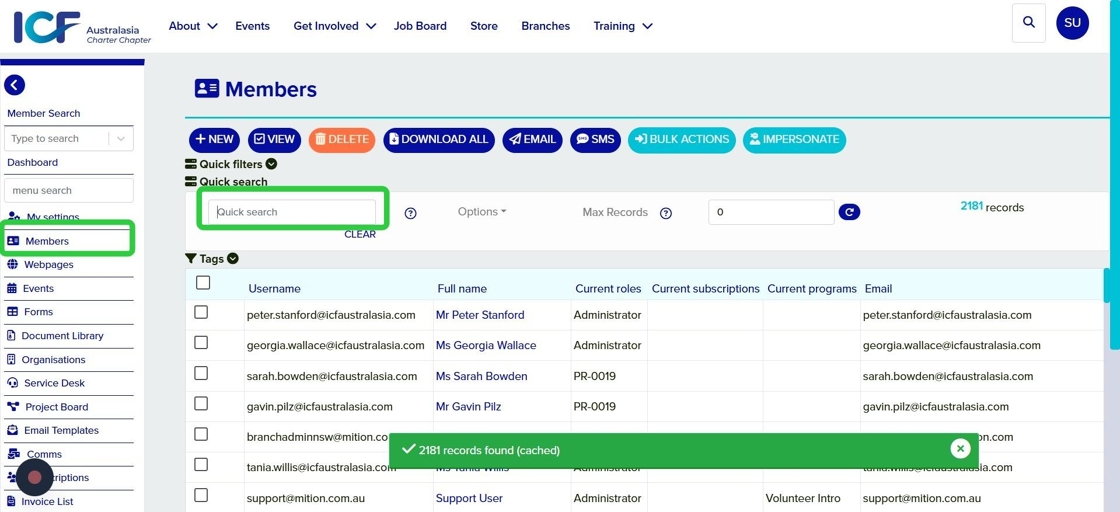
- Login (using your icfaustralasia.com email account). On the left hand toolbars select Members, or you can find it by going to the Dashboard and then find "Members"
- Search for the member you would like to update
- Double click on the member to bring up their profile and settings
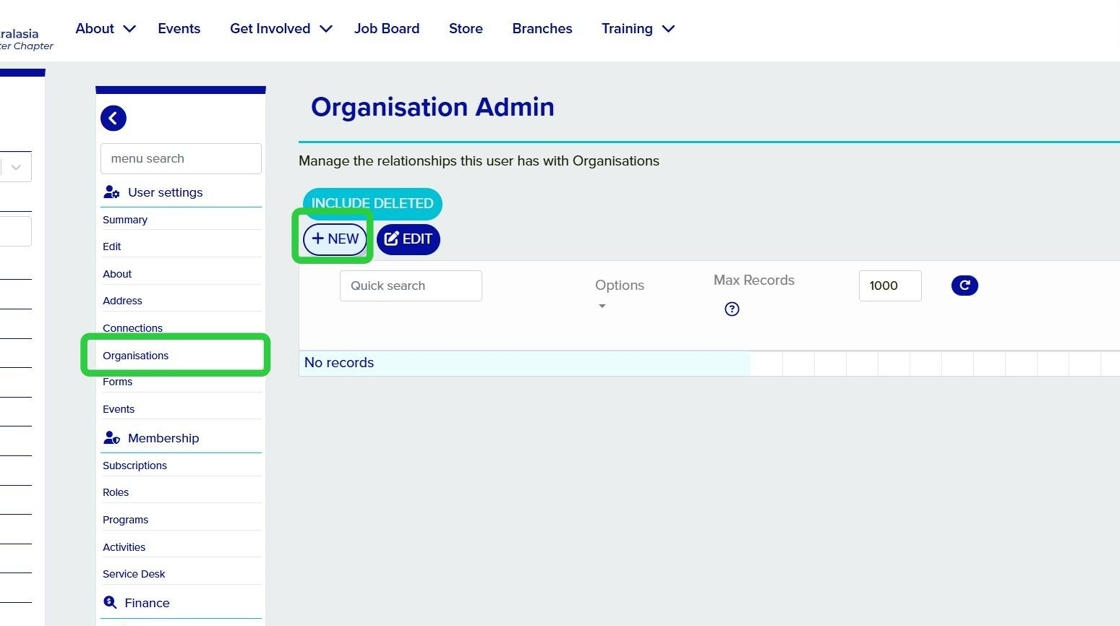
- Navigate to the Organisations tab
- Select New
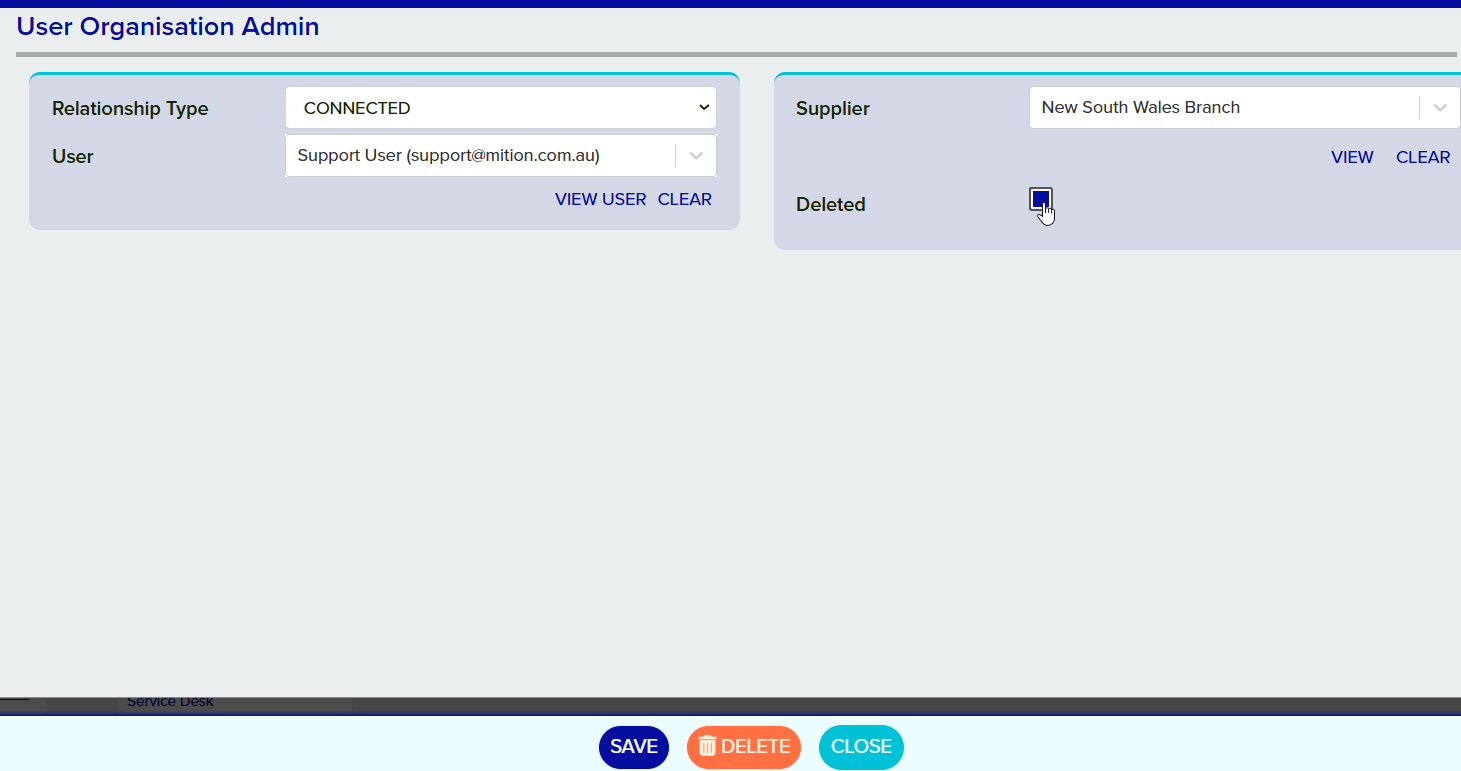
- Relationship Type: For a branch admin or branch event admin select "CONNECTED", for the branch manager/president select "ADMIN"
- Supplier: Search for the appropriate branch, e.g New South Wales, Queensland
Save the changes
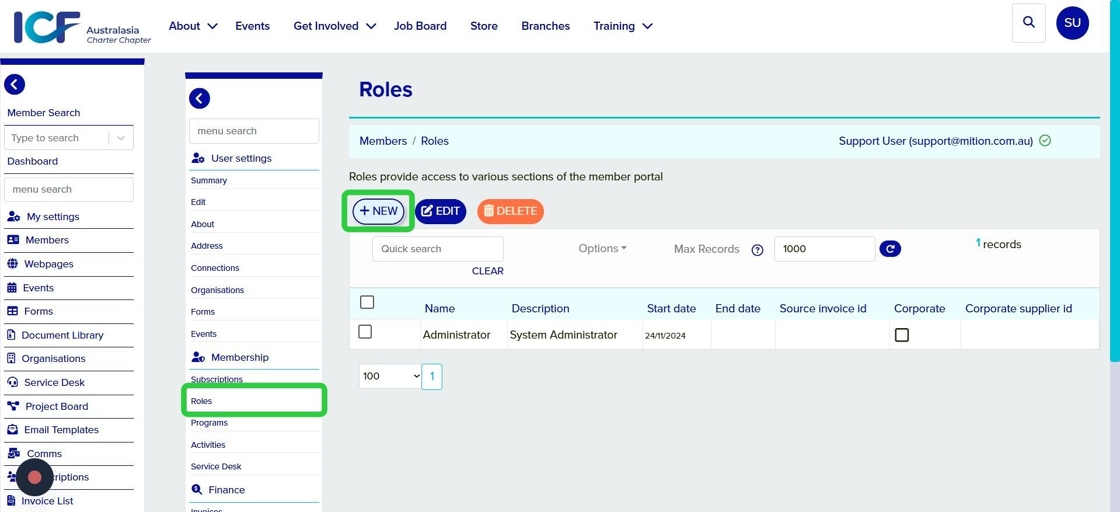
Navigate to the Roles tab
- Select New
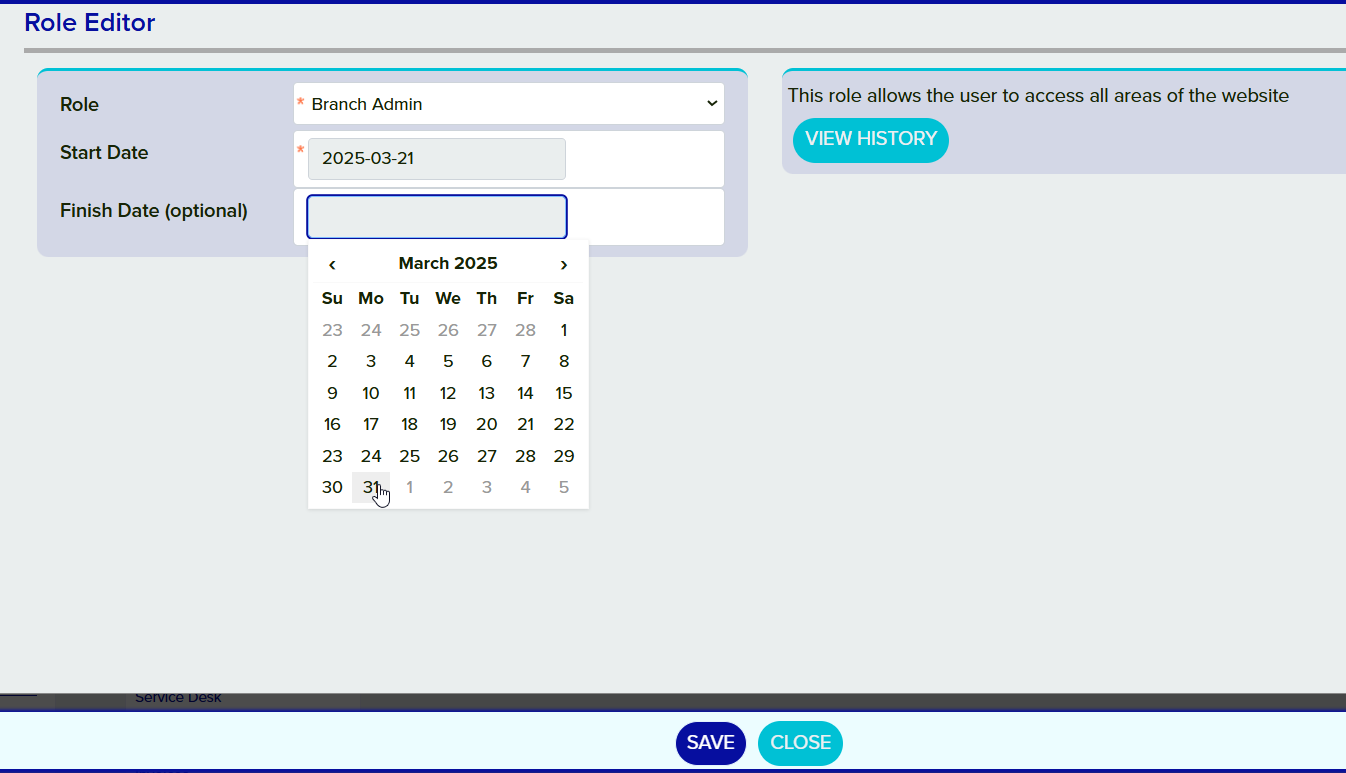
- Role: Select Branch Admin or Branch Event Admin depending on the type of access the user needs
- Start Date: This will default to today's date, or you can choose to start it from a future date
- End Date (optional): End the role access after a set date. Leave blank to have this as an ongoing role.
Save the changes
Navigate to the Roles tab
- Double click on the branch admin role
- Add an end date to the role.
Save the changes
This step is optional as you may not need to remove a user from a branch. The branch connection may still be required even if the user is no longer an admin.
Navigate to the Organisations tab within the users profile.
Double click on the relationship line item.
Check the "Deleted" box, and save the changes
×